
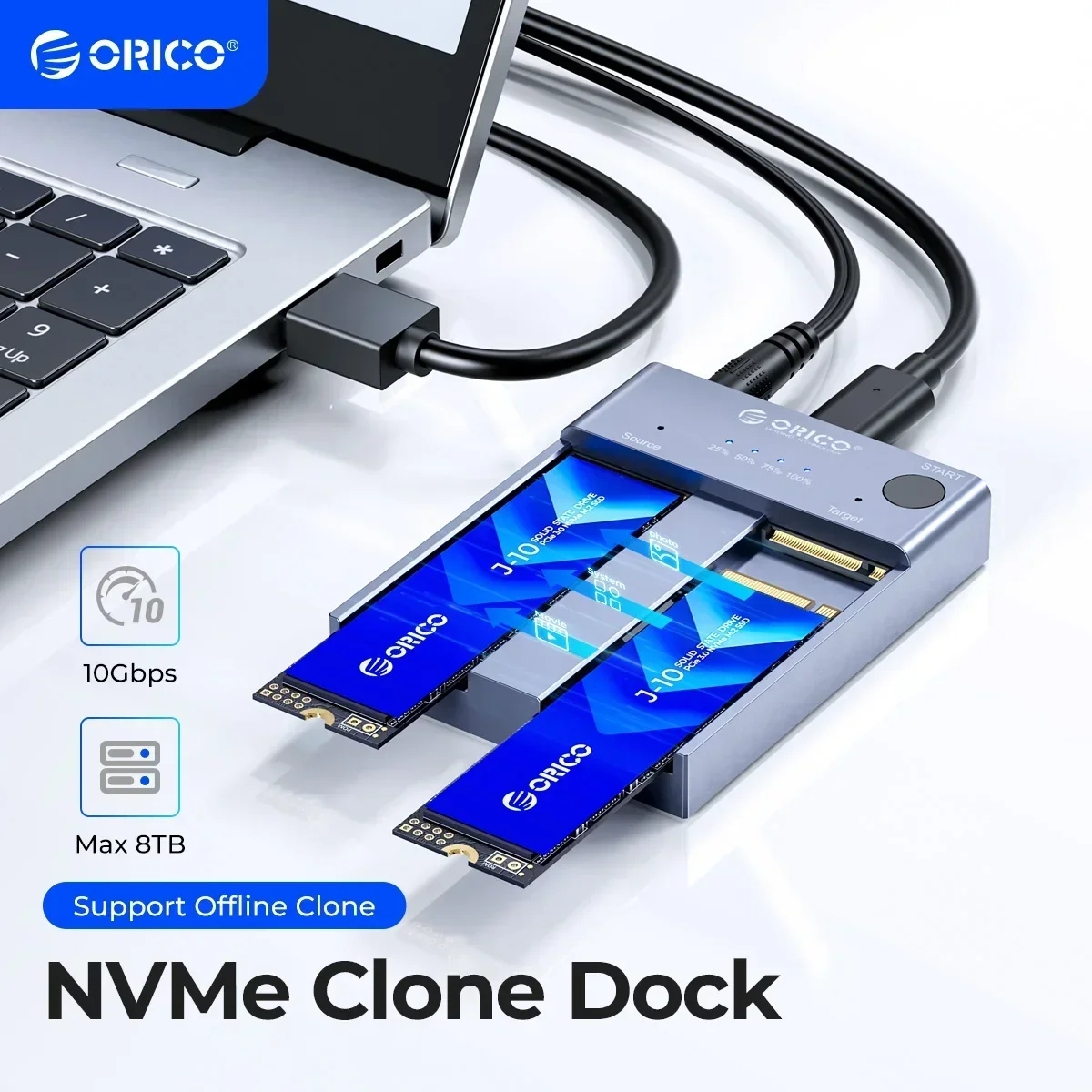
Orico m.2 nvme cloner dual bay nvme usb c para nvme ssd gabinete de alumínio m.2 duplicador clone offline para pcie m-key ssds 8tb
You will be redirected to AliExpress to complete your purchase
Specifications
- Brand Name
- Orico
- Origin
- Mainland China
- High-concerned chemical
- None
- Case Material
- aluminum
- Plug Type
- EU Plug, US Plug, AU Plug, UK Plug
- Supporting Hard Drive Capacity
- 4TB
- External Interface
- USB
- Internal Interface
- M.2
- Model Number
- ORICO M2P2-C3-C
- Package
- Yes
- Size
- 1.8", 82.2mm(L)*62mm(W)*13.8mm(H)
- Item
- M.2 NVMe SSD Duplicator Cloner Dual Bay Docking Station
- Color
- Gray
- Output Interface
- Type-C
- Transfer Rate
- 10Gbps
- Capacity
- Single bay 4TB(8TB Max)
- Installation
- Tool-free installation
- Systems
- Windows / Mac / Linux
- Support SSD
- For 2242 2260 2280 2230 M.2 PCIE SSD
- Cable Length
- 0.5m(C to C *1 and C to A*1)
- Feature
- Offline Clone
Product Description
Why choose ORICO M.2 NVMe SSD Duplicator Cloner Dual Bay Docking Station
ORICO external NVMe ssd docking station adopts USB 3.2 Gen 2 standard(USB C port), which supports an amazing data transmission rate up to 10Gbps.
Support one-key offline clone can directly transfer the data from Disk 1 to Disk 2 without going through the computer.Max Support 2*4TB SSDs.
ORICO M.2 ssd enclosure constructed with aluminum alloy which is better for absorbed heat dissipation.
Support Plug and Play and Hot-Swapping. Easy installation and no driver required.
Operating system compatibility: Windows, mac OS, and Linux.
One-key Offline Clone
This dual-slot m.2 NVMe duplicator can not only be used as an external NVME SSD to expand your storage capacity, but also can be used for offline backup. No need to connect to a PC, just plug in and press the start button then you can back up your important data. LED indicator can monitor the SSDs' clone progress at any time. Note: please back up the data on the target disk before cloning to avoid losing important data.
5V/4A Power Adapter
5V/4A external power ensures its working stable and security.n
10Gbps High Speed
ORICO USB 3.2 Gen2 m.2 cloner docking station is equipped with C to C cable and C to A cable, giving you more choices. The fastest transmission speed can reach about 1000MB/S with C to C cable and about 500MB/S with C to A cable. At the same time, it supports UASP acceleration protocol which can make your NVME SSDs run more quickly and stably.
Max Support 2*4TB SSDs
When ORICO M.2 dual NVMe duplicator connected to a computer, it can recognize two SSDs at the same time, supporting a single SSD max up to 4TB.
Efficient Heat Dissipation
Aluminum alloy keeps it tough and solid, and greatly improved hard drive durability by quickly dissipate the heat.
Fit for M.2 PCle M-Key
Specially designed for M Key M.2 NVME PCIe SSD of 2242/ 2260/ 2280/2230 Sizes.
Back up Data,Suitable for Gaming,Clip Video
For laptop,PC,PS4.TV and so on.
LED Indicator,10Min Auto Sleep
LED indicator light to clearly understand the working status.the anti-slip pad makes you more stable during use.
Easy to assemble
1.Insert source disk into the SOURCE bay, then insert target disk into the TARGET bay.(Note: Target SSD Capacity>Source SSD Capacity.)
2.Connect the power adapter to the tool-free dual NVMe dock.
Hold the clone button for 10-15 seconds until LED indicator begins to flash.
3.The indicator light will show the copy progress (25% -50% -75% -100%).When the clone is completed, the 4 LED lights will always be on.
Please NOTE
Do not use usb cable to connect to the computer during clone.
If there is a bad sector in the SSD, copying may stop. Scan the SSD once before copying to make sure there are no bad sectors.
Please back up the data on the target disk before copying to avoid loss of important data.
Make sure that the two SSD disks can be recognized on the computer when plug in our nvme enclosure. If not, it could not clone.
It's normal that the aluminum case heats up, for the high-speed NVMe M.2 drives generate much heat while working. Do not touch the SSD during operation. Please refer to the changing diagram of temperature above.
For the brand new SSD drive, it may not find the drive, because the brand new SSD drive should be formatted before first time using. And also need to make the SSD drive partition.
To get the 10Gbps data transmission rate, the USB 3.2 interface on your PC should be USB 3.2 Gen 2. Some PCs only come with USB 3.2 Gen1 whose max speed is 5Gbps.
Cloning is completed, target disk will enter the offline mode, in offline mode, the disk cannot be recognized when the PC is connected with the USB cable. Therefore, you should select online mode manually: right-click (computer/my computer/this computer) to select management, then select disk management in the popup dialog box, and you will see a disk in the offline state, then right-click it to choose the online mode.
Pros & Cons
Pros
- Função de clone offline sem necessidade de computador, transferindo dados de um disco para outro com um único toque
- Taxa de transferência de até 10 Gbps, garantindo velocidade rápida na clonagem e acesso aos dados
- Instalação sem ferramentas, facilitando a troca dos SSDs sem necessidade de parafusos
- Suporta capacidades de até 8 TB no total, com cada bay suportando até 4 TB
Cons
- Não é compatível com SSDs SATA M.2, apenas com SSDs NVMe PCIe M-key
- Não inclui SSDs no pacote, sendo necessário adquirir separadamente
- O cabo de conexão incluso tem comprimento de apenas 0,5 m, podendo ser insuficiente para algumas situações
Common Questions
Qual o material do gabinete deste duplicador de SSD M.2?
O gabinete é feito de alumínio, garantindo dissipação de calor e resistência.
Quais tipos de SSD são compatíveis com este dispositivo?
Ele é compatível com SSDs M.2 PCIe M-key de tamanhos 2230, 2242, 2260 e 2280.
Qual a taxa de transferência máxima deste duplicador?
Ele suporta taxa de transferência de até 10 Gbps, graças à interface USB 3.2 Gen 2.
Para quais usos este duplicador de SSD é ideal?
Ele é ideal para clonar dados de SSDs sem precisar conectar ao computador, além de servir como docking station para SSDs M.2.
Qual o prazo de envio deste duplicador?
Não há informações específicas de prazo de envio no anúncio, recomenda-se contatar o vendedor para detalhes de entrega.
Product information last updated on April 12, 2026