
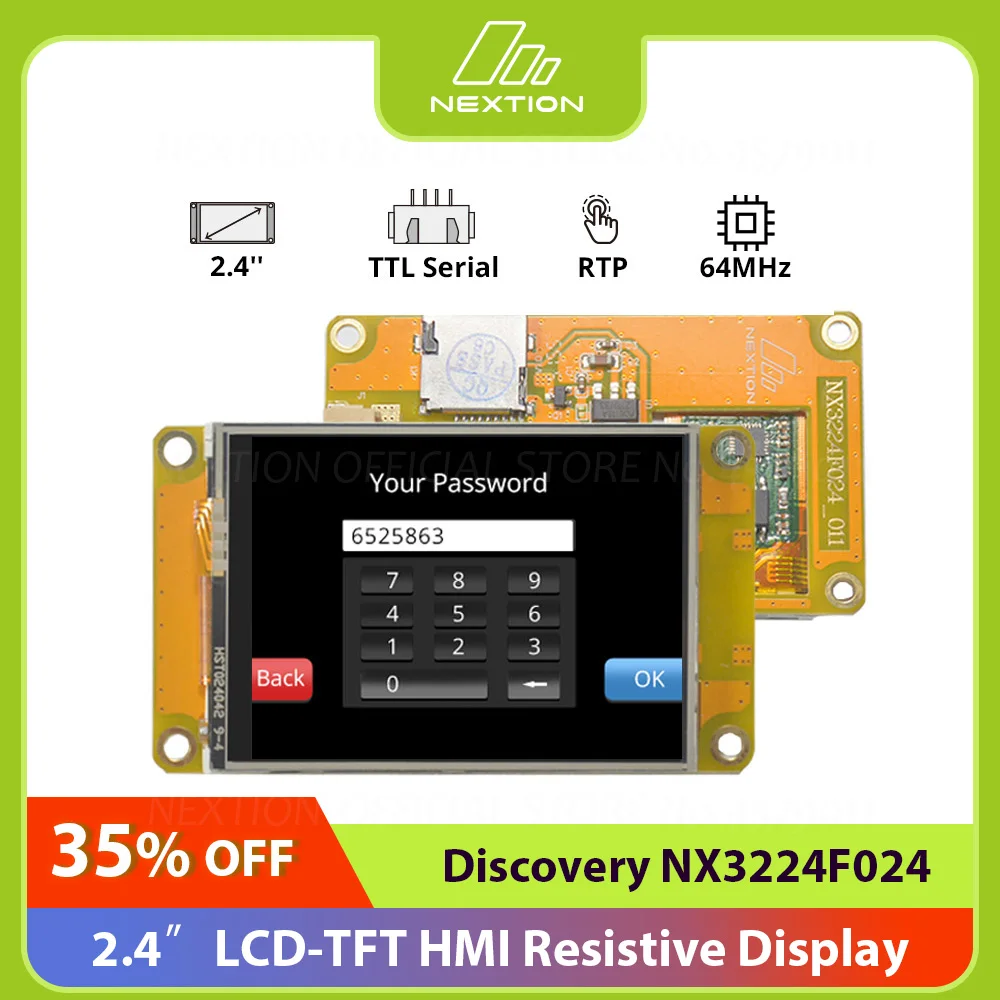
Nexion NX3224F024 Discovery Series HMI LCD Módulo de exibição de toque resistivo Simulador grátis Suporte de depuração Operador de atribuição
You will be redirected to AliExpress to complete your purchase
Specifications
- Brand Name
- NEXTION
- Origin
- Mainland China
- Display Mode
- None
- High-concerned chemical
- None
- Resolution
- 320x240, 320*240
- Model Number
- NX3224F024
- is_customized
- Yes
- Display Size
- 2.4 inch
- Touch Panel
- RTP
- MCU
- 64 MHz
- Flash
- 4 MB
- SRAM
- 3584 Byte
- Input Power
- DC 5V 500mA
- USART Port
- USART Port
Product Description
Nextion NX3224F024 Discovery Series HMI LCD Resistive Touch Display Module Free Simulator Debug Support Assignment Operator
The Nextion Discovery Series MCU clock speed is 64 MHz which is more powerful than the Basic Series. There are 2.4”, 2.8“, 3.5” HMI display size options for your choice.
Comparing with Basic Series, the Discovery Series has a better MCU performance, with the new image compression technique, the Discovery Series allows more pictures in the same amount of flash compared to Basic and Enhanced models.
You can develop the HMI GUI project via the free Nextion Editor software, the easy Drag-and-Drop components and simple ASCII text-based instructions will dramatically reduce your HMI project development workloads.
The Nextion solution is the best balance HMI solution between cost and benefit with a low and decreased learning curve.
Note: Due to the global impact of COVID-19 outbreak since 2020, most of the key electronics component prices have climbed significantly, Nextion team developed new cost-effective HMI series products at a reasonable cost, that’s why the Discovery series comes.
NX3224F024 is a Nextion Discovery series 2.4” resistive HMI touchscreen without enclosure.
• 2.4″ LCD-TFT HMI Display
• STM32GO ARM® Cortex®-M0+ 64MHz Onboard MCU Processor
• Fonts Creator with Versatile Character Encodings
• Low Learning Curve Text-based Instruction Set
• Support 15+ Amazing WYSIWYG Components
• New Nextion Cost-effective HMI Solution
NOTE: There is a protective film over the screen. If you receive the product and find there are scratches on the screen, don't worry. It's the protective film, not the screen itself.
Nextion Editor Overview
Nextion Editor is a free human-machine interface (HMI) GUI development software for Nextion Basic Series, Enhanced Series, and Intelligent Series. The software offers an easy way to create an intuitive and superb touch user interface even for beginners. Add a static picture as a background, define functions by components, you can make a simple GUI in minutes. The easy Drag-and-Drop components and simple ASCII text-based instructions will dramatically reduce your HMI project development workloads and develop projects rapidly in a cost-effective way. The Nextion product is the best balance HMI solution between cost and benefit with a low and decreased learning curve.
STM32G0 ARM® Cortex®-M0+ 64MHz Onboard MCU Processor
Compared with Basic Series MCU, the Discovery Series MCU Reaches up to 30+% performance improvement.
Extremely Low Power Comsuption in Deep Sleep Mode
When the Deep Sleep Mode is activated, the device's working current is down to 025mA. Your Battery-Powered HMI device will last a longer working time with such a low power comsuption.
Versatile Character Encoding
15+ WYSIWYG Components for HMI Development
Easy-to-use components to customized GUI at screen side allow you to develop projects rapidly in a cost-effective way.
Free Simulator Debug
Debug the HMI project at any time even without the Nextion Display. The instruction input area allows you to send any Nextion commands to check the feedback and interactions.
Fonts and Text Styling
New Image Compression Technique to Save More Space Usage
Image compression is achived breaking the traditional 2 byte per pixel formula and allowing more pictures in the same amount of flash compared to Basic and Enhanced models.
UTF-8 Subset Reduce Font Space Usage
The Font Generator can generate a ZI Font using user-selected combinations of UTF-8 subsets. There are 142 subsets covered all language characters so you can create the HMI project with any language content text.
Nextion Opetational Commands
The operational commands allow users to programing the HMI interactions by coding in Events windows.
Text-based Instruction Set
Simple ASCII text based instructions will dramatically reduce your HMI project development workloads.
Component Attribute Setting
The component attribute setting gives you the options to design all the aspects of the component that you need.
Support Simple Assignment Operators
To handle the calculation and assignment for the text and Numeric data, the simple assignment operators help.
Product information last updated on March 13, 2026