
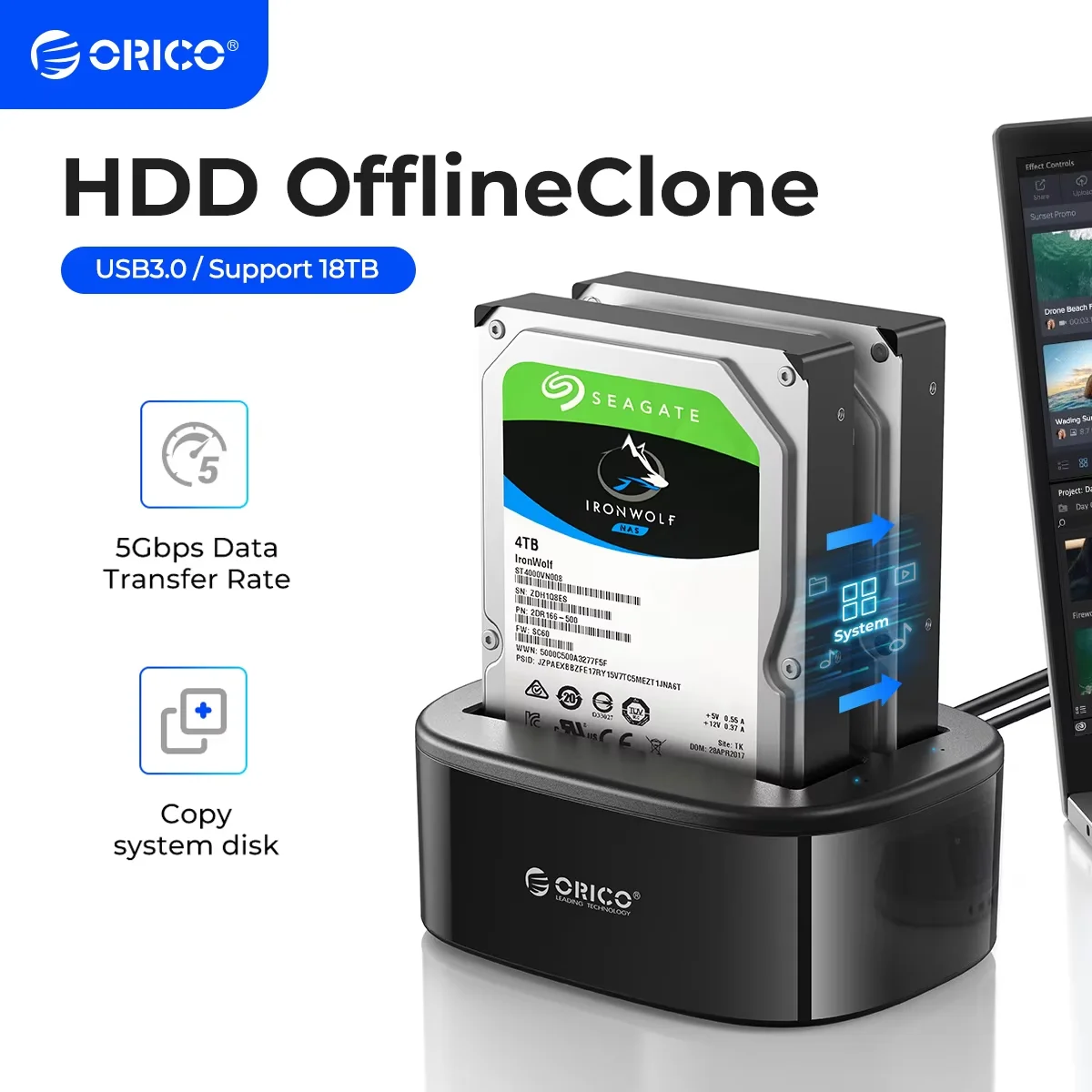
ORICO HDD Clone Docking Station USB 3.0 to SATA 3.0 Dual Bay Hard Drive Docking Station for 2.5/3.5 inch HDD SSD Case for PC
You will be redirected to AliExpress to complete your purchase
Specifications
- Nazwa marki
- Orico
- Pochodzenie
- CN (pochodzenie)
- Substancja wzbudzająca szczególnie duże obawy
- Brak
- Typ wtyczki
- wtyczka UE, Wtyczka amerykańska, Wtyczka AU, Wtyczka brytyjska
- Obsługa pojemności dysku twardego
- 16TB*2
- Interfejs zewnętrzny
- USB
- Materiał obudowy
- plastik
- Numer modelu
- 6228US3-C-BK
- Pakiet
- Tak
- Rozmiar
- 2.5", 3.5"
- Item
- ORICO USB 3.0 to SATA Dual-Bay Hard Drive Docking Station
- Support HDD
- 2.5''/3.5'' SATA HDD/SSD
- Interface
- USB3.0 Type-B
- Transmission Speed
- 5Gbps
- Function 1
- Offline Clone Function
- Function 2
- Hot-swap
- Function 3
- Auto-Sleep
- Function 4
- Support UASP Transfer Protocol
- Feature 1
- Tool Free
- Feature 2
- Without drives
- Feature 3
- Vertical Heat Dissipation
- Feature 4
- Blue LED Indicator
- Dimension
- 142*110*57.5mm
- Data Cable
- USB3.0 / 1 Meter
- Note
- Not Including the Hard Drive
- Package
- ORICO Retail Box
- Power Adapter
- 12V3A /EU/US/UK Plug
- Certificate
- CE/FCC/3C/ROHS
Product Description
Product Description(Color:2-Bay)
ORICO Dual-bay hard drive docking station.This docking station compatible with 2.5 inch or 3.5 inch HDD/SSD up to 16TB per bay, provide a more convenient way of transmitting data between your hard drive and computer through an available USB port.
Superspeed USB 3.0 and SATA III
Data transfer rate can reach up to 5Gbps, 20% faster than traditional USB 3.0 with UASP Transfer Protocol; UASP functionality requires UASP capable host controller and operating system
Offline clone function
----Make sure that the USB cable is disconnected from your computer.
1. Insert one hard drive in the Source bay, other drive in the target bay(The capacity of Target drive must be equal or bigger than Source drive.)
2. Push the PC / CLONE switch on the back of the hard drive to the CLONE side.
3. Connect power supply and press the POWER switch.
4. Then press the START Button on the back.
5. A Blue LED will flash on 20% indicating that the cloning process has begun.
6. The cloning process is complete when ALL the lights turn solid Blue (20%-100%).
7. Finally press the POWER switch and eject your drives.
Notes:
1.Please backup files in the target hard drive before cloning. Any files in target hard drive will be overwritten when offline cloning occurs, If the Target Disk Data is Still Useful, Please Use your Computer to Make a Backup First.
2.To avoid data loss, do not remove or insert hard drives when one drive is working in the docking station.
3.Make sure the USB cable is disconnected when using offline clone function
Attention
HDD/SSD is not included
Please power off the docking station before removing
Features
*ON/OFF power switch
*LED light indicates the working status
*12V3A power adapter ensures enough power for devices
*Plug and play, hot-swapping, no drivers or applications needed
*Compatible with most major systems in market such as Windows, Linux and Mac OS
*Widely Used be connected to PC/TV/PS4/Router
What is in the box!!!
1 x ORICO Dual-bay docking station
1 x 12V3A Power Adapter
1 x 3.3 FT USB3.0 Cable
1 x User Manual
1 x Service Card
PLUS! ORICO's Worry-free Warranty Policy
We provide an 12 month warranty period. The warranty coverage starts when the package is shipped. We also offer lifetime technical support for purchases made directly via our ORICO direct store.
Product information last updated on December 5, 2025