
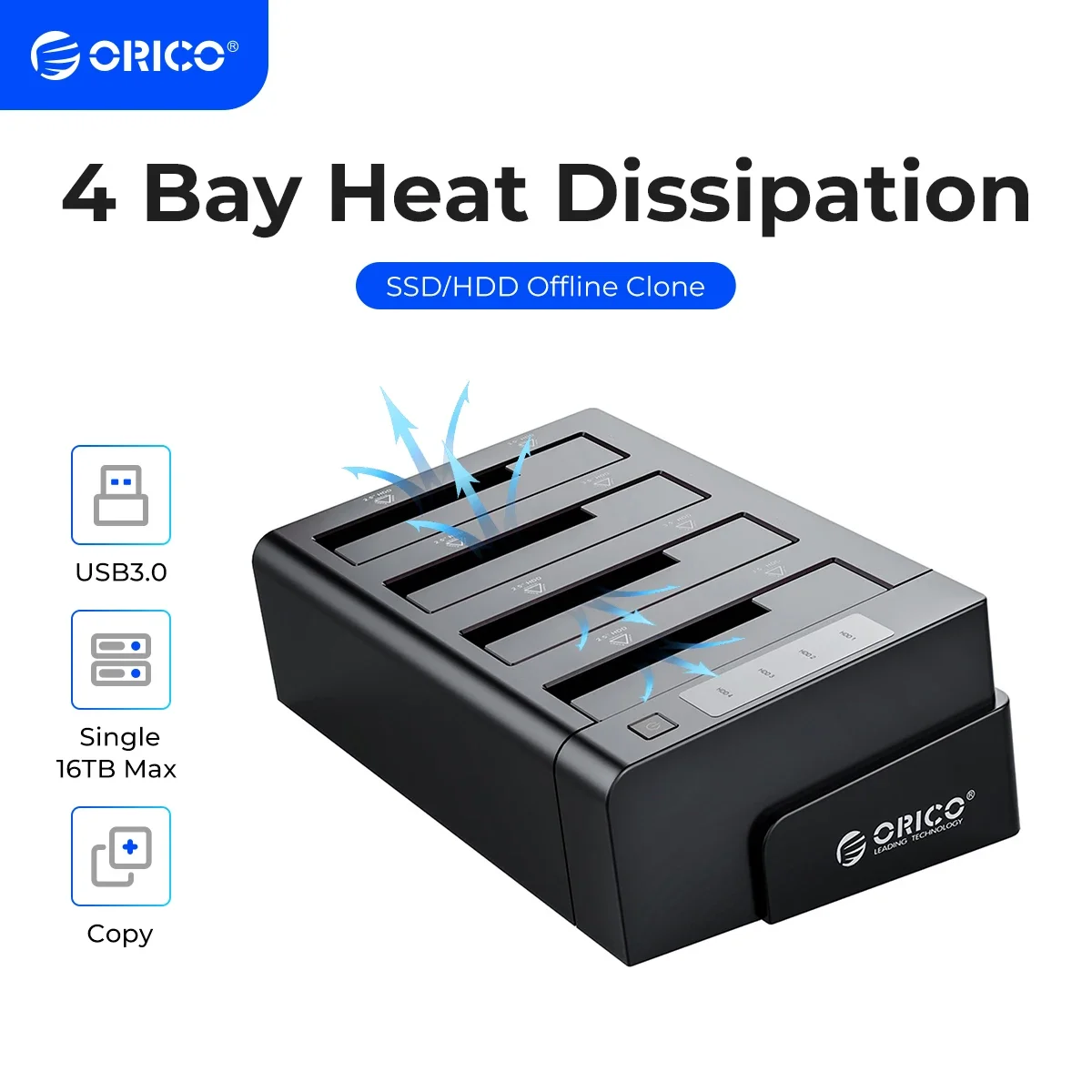
ORICO 4 Bay Hard Drive Docking Station with Offline Clone SATA to USB 3.0 HDD Docking Station for 2.5/3.5 inch HDD
You will be redirected to AliExpress to complete your purchase
Specifications
- Brand Name
- Orico
- Origin
- Mainland China
- High-concerned chemical
- None
- Supporting Hard Drive Capacity
- 64TB (4*16TB)
- External Interface
- USB
- Case Material
- Plastic
- Model Number
- ORICO 6648US3-C
- Package
- Yes, ORICO Retail Box
- Size
- 3.5", 2.5"
- Item
- 4-Bay 2.5 3.5 Hard Drive Docking Station/Duplicator
- Material
- ABS Material
- Support HDD
- SATA 2.5/3.5 inch HDD/SSD
- Interface
- USB3.0 Type-B
- Transmission Speed
- 5Gbps
- Dimension
- 144 x 80.7 x 216.7mm
- Installation
- Tool Free Installation
- Clone
- 1 to 3 Standalone Clone
- Function 1
- Hot-swap
- Function 2
- Offline Clone Function
- Function 3
- Support UASP Protocol
- Feature
- Vertical Heat Dissipation
- Indicator
- Blue LED Indicator
- Driver
- Driver Not Required
- Note
- Not Including the Hard Drive
- 100cm Data Cable
- Type B to Type A
- Power Adapter
- 12V6A Power Adapter
Product Description
6648US3-C-V1 Product Description
*Four Bay+ Offline Clone
6648US3-C-BK Product Description
ORICO 4-Bay USB 3.0 SATA 2.5"/3.5" SSD/HDD Docking Station
* Materials: Aluminum and ABS
* Tool-free installation, easy to install and disassemble . plug and play.
* Transfer speeds up to 5Gbps.
* Supports four SSD/HDD drives, 2.5”or 3.5,” at one time.
* Backwards compatible with: USB 3.0/2.0/1.1
* LED indicators: Shows power condition and read status clearly.
* Intelligent sleep·Hard drive automatically gets into sleep status once no read and write in 5 minutes.
* Supported operating systems including: Windows 10 / 8 / 7 / Vista / XP or Mac OS 9.1 and above
* Supported hard drive: Both 2.5" and 3.5" HDD / SSD.
Features
* With Easy and Quick can add 4 piece 3.5/2.5 inch SATA Hard Drive to your computer, maximum capacity up to 64TB HDD.
* Support 1 to 3 clone, duplicate hard drive without connect to the computer.
* To simplify HDD installation and swapping drives in and out of the dock, it features a top slot-loading design, for easy access.
* Expand your storage by 64TB Independent power supply 12V6A power adapter provides adequate power supply.
Offline Clone Function
----Make sure that the USB cable is disconnected from your computer.
1. Insert one hard drive in the Source bay, other drive in the target bay(The capacity of Target drive must be equal or bigger than Source drive.)
2. Push the PC / CLONE switch on the back of the hard drive to the CLONE side.
3. Connect power supply and press the POWER switch.
4. Then press the START Button on the back.
5. A Blue LED will flash on 20% indicating that the cloning process has begun.
6. The cloning process is complete when ALL the lights turn solid Blue (20%-100%).
7. Finally press the POWER switch and eject your drives.
Notes:
1.Please backup files in the target hard drive before cloning. Any files in target hard drive will be overwritten when offline cloning occurs, If the Target Disk Data is Still Useful, Please Use your Computer to Make a Backup First.
2.To avoid data loss, do not remove or insert hard drives when one drive is working in the docking station.
3.Make sure the USB cable is disconnected when using offline clone function
What is in the box (6648US3-C-V1)
1 x ORICO Four Bay+Clone Hard Drive Docking Station
1 x USB3.0 Type B to Type A Cable
1 x 12V6A Power Adapter
1 x User Manual
1 x Service card
Note: This is 3.5 inch HDD Docking Station Storage, Not including the hard drive,pls. kindly noted it, Thank you!
Product information last updated on December 7, 2025