
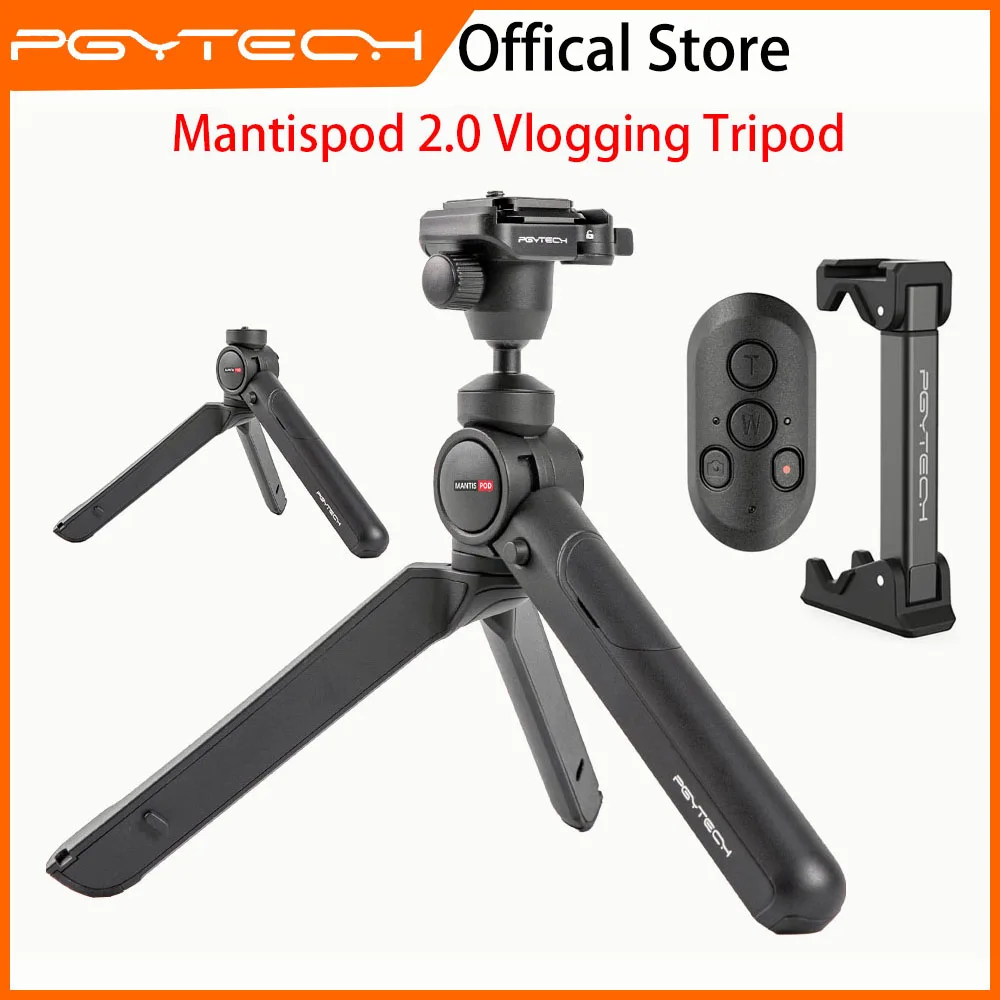
PGYTECH MANTISPOD 2.0 Bluetooth Mini Camera Vlogging Tripod|6 Modes Small Travel Flexible DSLR Pocket Stand With Remote Control
You will be redirected to AliExpress to complete your purchase
Specifications
- Brand Name
- PGYTECH
- PGYTECH Model
- P-C8
- Type
- Table Tripod
- Material
- aluminum
- Use
- Action Cameras, Point & Shoot Cameras, Mirrorless System Camera, Action Cameras,Point&Shoot Cameras,Mirrorless System Camera
- Origin
- Mainland China
- High-concerned chemical
- None
- Model Number
- P-CG-085
- Package
- Yes
- Weight (g)
- 305
- Load bearing
- ≤2KG
- Warranty
- Three-year warranty
- Main material
- Aluminum alloy
- Compatibility 1
- Card camera
- Compatibility 2
- mirrorless camera
- Compatibility 3
- digital camera
- Compatibility 4
- action camera
Product Description
Reasons For Choose Mantispod 2.0
●Wireless Control Function
Suitable For All Card camera, mirrorless camera, digital camera, action camera (≤2kg)(PGYTECH action camera quick release mount needs to be purchased separately), mobile phone (PGYTECH Mini smartphone holder needs to be purchased separately)
Mantis RC M1 compatible with
Sony:Alpha 1, Alpha 7C, Alpha 7R IV, Alpha 7R III, Alpha 7S III, Alpha 9, Alpha 6600, Alpha 6100, Alpha 7 III (A7M3), Alpha 7 IV(A7M4), Alpha 6400, ZV-1, DSC-RX0M2, DSC-RX100M7, FX3, ZV-E10
Canon:EOS M6 Mark II, EOS M50, EOS M50 Mark II, EOS M200, PowerShot G5 X Mark II, PowerShot G7 X Mark III, EOS R, EOS R5, EOS R6,EOS R7,EOS RP
Action Camera:Gopro5/6/7/8/9/10/11
If you are not sure if your model matches (not appearing in the fit list) you can contact us and we will test
●6 shooting modes
MantisPod 2.0 is an all-round tripod designed for vloggers. With Mantis Mode/High-angle Mode/Low-angle
●Innovative mantis mode
The innovative Mantis claw design makes MantisPod 2.0 clinch to glass, doors, trees, and railings effortlessly
●Quick Release System
Enable instant switch between tripod and handheld, landscape/portrait view switch and flexible tilt adjustment;
Ball head enables 360° panoramic rotation and 120° tilt adjustment
●Arca-type Quick Release Plate
PGYTECH Quick Release System is Arca-Swiss compatible and clamps/locks in only one easy step;
●Patented anti-loosening screw
A Mini smartphone holder can be chosen and housed in the tripod leg for enhanced compactness and functionality
Notice: This product do not include the Mini Phone Holder If you need this You Need purchase this separately
Difference Between Mantispod 2.0 & Mantispod 1.0
PGYTECH MantisPod 2.0 Remote Control Kit FAQ
How to use MantisPod 2.0 Remote Control Kit?
Remove the decorative cover on the front leg and the Remote Control can be magnetically fixed to the tripod; For tripod use, please refer to quick start guide
Under what conditions can Mantis mode be applied?
Mantis Mode can only be applied when satisfying the following requirements:
1.The hanging surface should be less than 90mm thick.
2. The other two leg must be supported .
3. Please avoid hanging it on moving vehicles, yachts and other moving objects.
Mantis Mode can only be applied when satisfying the following requirements:
1.The hanging surface should be less than 90mm thick.
2. The other two leg must be supported
3. Please avoid hanging it on moving vehicles, yachts and other moving objects
What gear is MantisPod 2.0 compatible with?
It is compatible with Vlog gear that is less than 2kg, including mirrorless cameras, smartphones and action cameras. (the action camera adapter and smartphone holder need to be purchased separately in official store)
How can I connect MantisPod 2.0 Remote Control Kit with my camera?
Long press the Video button to switch on, and press Video button 5 times to enter Bluetooth pairing.
1)Sony cameras: Press the MENU button on the camera. Go right to Network, then select Bluetooth Settings, choose Bluetooth Function, set the setting to On, then go back to Bluetooth Settings, Choose Pairing, make sure the remote control is connected, done.
2)Canon cameras:
Step 1: Press the MENU button, enable Wireless Communication Settings and choose Bluetooth Function, make sure the remote control is paired, done.
Step 2: Press the SET button, choose Driving Mode, and select Selfie: 10S/Remote Control, exit SET.
Step 3: Before taking pictures or videos, please adjust the camera to the desired gear first.
3) GoPro: Swipe down on the screen to bring up Preferences, and tap on it. Tap on connections and choose Connect Device. Scroll down to Smart Remote and select it.
Pros & Cons
Pros
- Bluetooth remote and 6 modes for versatile vlogging/photography.
- Supports up to 2KG on aluminum build for cameras/phones.
- Compact flexible design ideal for travel.
- Three-year warranty for reliability.
Cons
- Phone/action camera mounts sold separately.
- ≤2KG limit excludes heavy DSLRs.
- Mini size may lack stability in wind.
- Bluetooth range unspecified.
Common Questions
What is the load capacity and material of PGYTECH MANTISPOD 2.0?
≤2KG load; aluminum alloy construction, 305g weight.
What cameras is this mini tripod compatible with?
Card/mirrorless/digital/action cameras (≤2kg); phone with separate holder.
Does it have Bluetooth remote control?
Yes, wireless control with 6 modes for vlogging/travel.
What warranty and origin for this flexible tripod?
Three-year warranty; Mainland China.
Shipping time for this pocket DSLR stand?
From China; 7-20 days, package included.
Product information last updated on December 30, 2025