
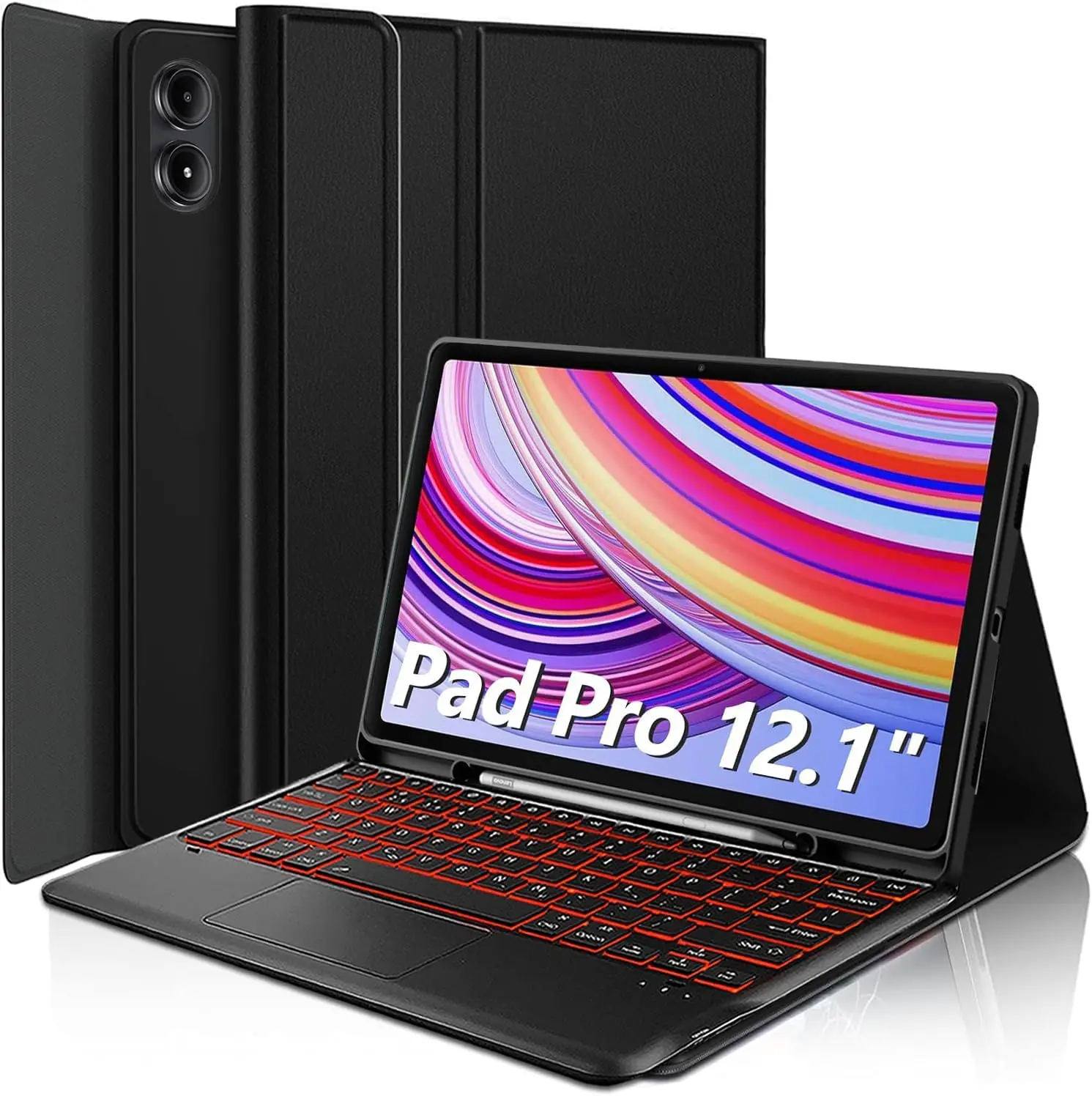
For Xiaomi Redmi Pad 2 Pro 12.1 Inch Case, Keyboard Cover for Xiaomi POCO Pad M1 12.1 inch Tablet Case With Pencil Holder
You will be redirected to AliExpress to complete your purchase
Specifications
- Brand Name
- HUAIBX
- Battery Included
- Yes
- Origin
- Mainland China
- Application Laptop Size
- 12.1"
- Material
- TPU
- High-concerned chemical
- None
- Type
- With Keyboard
- Style
- Fashion
- Package
- Yes
- Feature
- Anti-Dust
- Pattern Type
- Solid
- Compatible Brand
- Xiaomi
- Compatible Model 1
- Redmi Pad Pro 12.1-inch
- Compatible Model 2
- Xiaomi POCO Pad 12.1-inch
- Compatible Model 3
- Redmi Pad 2 Pro 12.1-inch
- Compatible Model 4
- Xiaomi POCO Pad M1 12.1-inch
- Choice
- yes
Product Description
How to verify tablet model
1. Go to the back and find your specific model.
2. Find "Settings" - Click "About" - Find "Model"
3. Please purchase the correct compatible model case according to the tablet after viewing.
Note:The digital tablet and stylus are not included in the package. The detailed description is for reference only. Please refer to the actual product for the color of the product.How to connect keyboard and mouse?
1. Connect the mouse first, then the keyboard.
2. Mouse: Push the switch to the "Bluetooth" icon and find the Bluetooth connection with the "mouse" in the device Bluetooth list.
3. Keyboard: Push the switch in the upper right corner to "ON", press "Connect", and find the Bluetooth connection with "Keyboard" in the device Bluetooth list.
4. Touchpad keyboard: Open the keyboard, press Fn+C, and then find the Bluetooth connection with "Keyboard" in the device Bluetooth list.FAQ
Q:What should I pay attention to when connecting the mouse for the first time?
A:When the mouse is connected for the first time, you need to press the left button, the right button and the scroll wheel at the same time for about 3-5 seconds.
Q: Is the scroll direction of the mouse USB connector and Bluetooth connection the same?
A: No, they are different. When using the USB connector, the scroll wheel slides in the same direction as the computer mouse. Bluetooth connection is the opposite.
Q: How to switch between different systems?
A: Fn+Q=Android, Fn+W=Windows, Fn+E=IOS.
Please note that please switch the system before connecting the tablet.
Q:The bluetooth keyboard letters are messy?
A: Please check the settings according to the prompts,
a. Check whether the keyboard language set on the device is English.
b. Disconnect the keyboard Bluetooth, click Ignore the connected device, reopen the Bluetooth keyboard, select system, Fn+E (IOS system).
Note: Fn+Q=Android, Fn+W=Windows, Fn+E=IOS
c. Press the L S Z buttons at the same time to reset the keyboard
Q:How to configure the input method for different languages keyboard?
A:Take the samsung tablet as example,open "Settings--"ystem"--"Language & input"--"Add New Keyboard". (For other systems, please set them in the system settings according to the tips of the iPad example.)
Q:How does the mouse change teh scroll wheel sliding direction on the device?
A: The mouse is connected, open "General" - "Trackpad & Mouse" - close "Natural Scrolling".
Pros & Cons
Pros
- Precise fit for Xiaomi 12.1-inch tablets like Redmi Pad Pro and POCO Pad
- Includes detachable keyboard with battery for productivity
- Pencil holder for stylus storage
- TPU material with anti-dust protection
Cons
- Tablet and stylus not included
- Requires model verification before purchase
- Limited to specific 12.1-inch Xiaomi models only
- No mention of screen protector inclusion
Common Questions
What tablets is this case compatible with?
Compatible with Xiaomi Redmi Pad Pro 12.1-inch, Xiaomi POCO Pad 12.1-inch, Redmi Pad 2 Pro 12.1-inch, and Xiaomi POCO Pad M1 12.1-inch tablets.
What material is the case made from?
The case is made from durable TPU material with anti-dust features.
Does it fit 12.1-inch tablets exactly?
Yes, designed specifically for 12.1-inch application laptop size.
Does the keyboard include a battery?
Yes, battery is included with the keyboard cover.
What is included in the package?
Package includes the case with keyboard and pencil holder; tablet and stylus are not included.
Product information last updated on March 24, 2026