
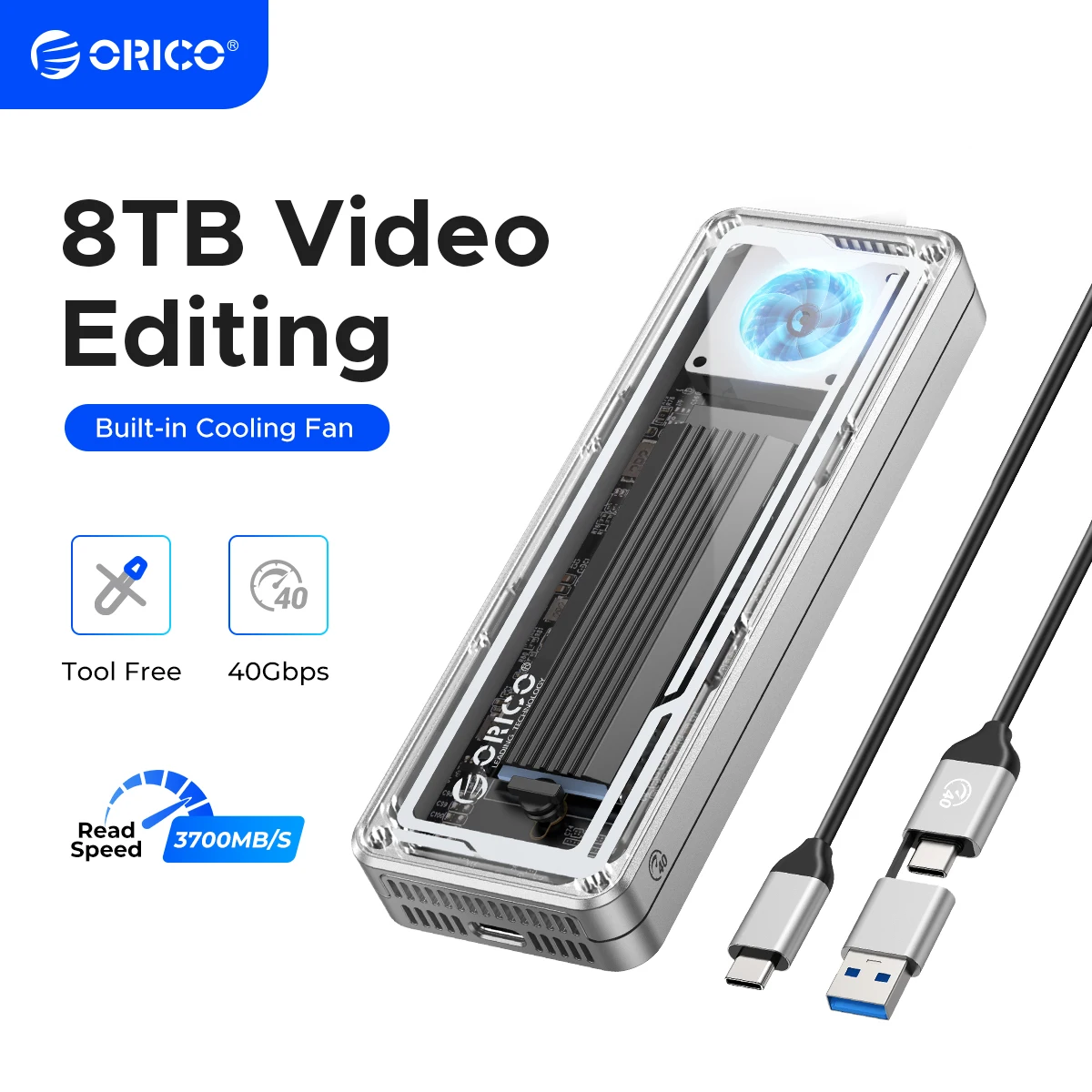
ORICO 40Gbps USB4 M.2 SSD Enclosure 8TB with with Cooling Fan PCIe4.0 NVME Enclosure Aluminum Compatible Thunderbolt 3/4 for Mac
You will be redirected to AliExpress to complete your purchase
Specifications
- Brand Name
- Orico
- Origin
- Mainland China
- High-concerned chemical
- None
- Supporting Hard Drive Capacity
- 8TB
- External Interface
- USB
- Case Material
- aluminum
- Model Number
- AAGM2-U4
- Package
- Yes
- Size
- 1.8"
- Choice
- yes
Product Description
True Transparent USB4 SSD Enclosure with Cooling Fan Support 8TB Capacity 40Gbps
Whether you are a designer, business traveler, photographer, videographer, or content creator, ORICO USB4 Enclosures allows you to confidently deal with large amounts of video, images, files, and digital data quickly and with ease. Expand your digital storage, making your work and life easier and more efficient.
40Gbps Ultra Speed,Max 3.8GB/s Read and 3.1GB/s Write Speed
With USB4 Type C output interface, it supports the maximum transmission speed up to 40Gbps. The measured maximum continuous read speed can reach 3700MB/s, and the continuous write can reach 3100MB/s.(NOTE: Speed will be affected by ssd and computer performance)
Multiple Heat Dissipation,Built-in cooling fan
SSDs can run really hot while transferring large amounts of data at high speed. built-in cooling fan and aluminum alloy shell with its generous heat sinks dissipates heat efficiently from the SSD, while an impact-resistant hard shell case shields the heat from the user while protecting the aluminum shell from bumps and scratches. This design ensures excellent durability and stability while ensuring that exterior low temperature even when transferring large amounts of data at high speed.(NOTE:The fan is a 7000-rpm with an actual measured decibel of 40-60. The sound produced is about the same as a laptop cooling fan and will not affect your work.)
Question:What are the normal temperature and the sound level of the cooling fan?
Answer:The normal operating temperature range of the M.2 solid-state drive is 0-70°C. To ensure good heat dissipation, the product is equipped with a high-speed fan that rotates at 7000 RPM, with a measured sound level of 40-60 decibels. The generated sound is similar in size to the cooling fans in your laptop and desktop computer.
Supports 8TB Max
Expand your digital storage, large memory makes use more comfortable, if your job often requires data transmission, or you enjoy playing games or watching movies, then a large memory hard drive case is very suitable for you
USB4 Latest Chip
Compatible most Thunderbolt 3/4/USB4/USB3.2/3.1/3.0 device,support UASP/Trim.
Suitable for Gaming, Video Editing, Research, Design,Mac
Providing more capacity for backup for PC ,Mac mini and laptop, but also for smart TV, smart router and PS4 etc.
2 In 1 USB Cable
40Gbps data transmission and PD100w fast charging.NOTE:The included USB cable has 2 output ports, USB C to A (10Gbps/QC15W) and USB C to C (40Gbps/PD100W)
Intelligent Indicator Light
With the auto indicator,you can get to know that the ssd enclosure is in working mode.
Tool Free Installation
Convenient and quick, easy to operate.
Wide Compatibility
Compatible with NVMe SSD in sizes 2230/2242/2260/2280.such as M.2 NVMe M Key SSD.included the latest PCIe Gen 4x4 SSD.
Physical Display
Question:Why is the device using Thunderbolt not recognized?
Answer:For devices requiring the Thunderbolt or USB4 transmission protocol, please check your CPU version. Some Thunderbolt/USB4 interfaces on Intel's 11th generation and earlier CPUs may have poor compatibility. (such as Macbook Air/Macbook pro 2016-2020 intel, Mac mini intel, iMac intel, Mac pro intel). Please refer to the actual devices/environment for specific details.
Q:Confirm computer interface with CPU?
A:For devices requiring the Thunderbolt or USB4 transmission protocol, please check your CPU version. Some Thunderbolt/USB4 interfaces on Intel's 11th generation and earlier CPUs may have poor compatibility. Please refer to the actual devices/environment for specific details.
Q:How to format an SSD?
A:For use only on Apple systems, choose one of the two Apple formats: Extended (Journaled) or APFS (choose the faster one). For use only on Windows systems, choose NTFS. If you want to use the drive on both Apple and Windows systems, choose exFAT (format as exFAT on an Apple system).
Q:Why does it generate heat?
A:SSDs generate heat as they read and write at high speeds. The case of this product effectively transfers heat throughout the case, quickly releasing the high temperatures generated by SSDs when they are operating.
Q:Why is the speed not as fast as advertised?
A:Speed is related to your device performance.
1. Use PCI-E 3.0 or PCI-E 4.0 NVMe SSD.
2. Make sure your input device's USB-C port is USB4 or Thunderbolt 4.
3. Make sure all of them support USB4 or Thunderbolt 4 if you use intermediate devices and cables.
Q:Recommended SSD?
A:Orico J20/J20-PRO/07000, Samsung 980Pro, Western Digital 770/850X, HP P44RO, ZhiTitan 7100, and Fanso 770..
Q:Why can't the hard drive enclosure achieve the desired speed?
A:The nominal 40GB/s of the hard drive enclosure was measured in our laboratory using top-notch CPUs and motherboards under absolutely ideal conditions. And we have speed maps in the testing environment.
So speed is related to multiple factors and needs to be checked by the customer:
1. Check the motherboard and CPU model to confirm if the device supports PCIe 4.0.
2. Different testing software and settings can lead to significant differences in the results obtained. It is recommended to use professional software such as CrystalDiskMark for testing, using specific queue depths and thread counts in the "new disk, empty disk" state. If an older version like AS SSD Benchmark is used, or if there is already data on the hard drive or programs running in the system background during testing, the speed will decrease.
3. Speed is also related to computer performance, for example, if the device is PCIe 4.0, if the CPU is too old or has weak performance, and cannot process the massive data transmitted from the hard drive box in a timely manner, then the speed cannot be achieved.
Product information last updated on January 8, 2026